Mobile casino browsing is not simply a smaller version of desktop use. Screen size, connection quality, browser permissions and account security can all affect how comfortably a player reviews games, checks account controls or watches live content. The available betya casino review information describes a responsive browser-based service for current iOS and Android phones and tablets, rather than a confirmed native application. That distinction matters when deciding how to access the site, what to expect from mobile features and how to protect an account on a shared or frequently used device.
What can a mobile browser handle?
The mobile version is described as supporting the main account functions without a separate installation. A current phone or tablet browser should therefore be the starting point for checking the site. Reported mobile activities include registration, login, deposits, withdrawals, account controls, casino games, sportsbook access and live-dealer streams. This broad coverage can be convenient for users who move between devices or do not want another application taking up storage.
Browsing is likely to feel most straightforward when the phone is held vertically for menus and account pages, while landscape mode may be more comfortable for streamed tables or games with detailed controls. Responsive layouts generally rearrange content for a narrow display, but that does not guarantee that every screen will feel equally clear. Players should allow pages to finish loading before selecting buttons, particularly when a game, cashier page or live stream is opening.
Mobile access also suits quick information checks. A player can review available categories, inspect a title’s displayed details where provided, check balances or open responsible-gambling settings without returning to a computer. However, convenience should not be confused with proof of performance. A short mobile session cannot establish a game’s long-term return, volatility, reliability or fairness. It only shows how the site behaves on that device, browser and connection at that moment.
Before opening the site, prepare the device
A short preparation routine can prevent many avoidable problems. Update the operating system and browser, remove unused tabs and confirm that the phone has enough battery for any session involving streaming. A stable Wi-Fi connection is usually preferable for live video, although mobile data may work when coverage is strong. Players should also check that the browser is not blocking essential cookies, pop-ups or media controls that the site needs for sign-in or playback.
Use a private, personal device whenever possible. Public computers, borrowed phones and shared tablets can retain browsing data, saved passwords or active sessions. Never allow a browser to save account credentials on a device that others can access. A screen lock, current security updates and a reputable password manager provide useful basic protection. If a browser asks for unusual permissions, stop and assess whether the request is necessary before continuing.
Canadian users should also consider network and location conditions. Mobile availability, payment options and promotional eligibility can depend on the account and jurisdiction; geography alone does not confirm that every function is available. If a page displays a restriction, an error or an unexpected currency, do not try to bypass it with location-masking tools. Instead, check the stated requirements or contact support through the published channels. A slower but legitimate troubleshooting path is safer than creating account inconsistencies.
How to make small screens easier to navigate
Start with the lobby rather than opening the first title that appears. Category labels such as new releases, favourites, recent items, slots, table games and live dealer content can reduce scrolling. If the interface offers search, use a precise title or provider name instead of repeatedly swiping through a long catalogue. Favourites and recents are especially useful on a phone because they reduce the number of menus needed during later visits.
Read the information panel before launching a game. Where a title provides demo access or displays RTP information, treat those details as game-specific information rather than a promise about a particular session. Open rules, paytables and bet controls in advance, because small touch targets can make accidental selections easier. Keep the phone steady and avoid tapping repeatedly when a page appears slow; duplicate taps can sometimes open multiple panels or trigger an unintended action.
Live content needs a slightly different approach. Headphones can make dealer audio easier to follow in a public setting, while landscape orientation may improve visibility. Streaming uses more data and battery than a static lobby, so users on limited plans should monitor consumption. If video quality drops, lowering the stream quality or moving to a stronger connection may help, but no connection can guarantee uninterrupted play. A disrupted stream is a reason to pause and verify the account or game state before doing anything else.
Which mobile account habits reduce risk?
Login details deserve more attention on a phone because mobile devices are often carried everywhere and may be unlocked around other people. Use a unique password, avoid sharing it and sign out when the device is not exclusively yours. If the browser offers autofill, confirm that the stored entry belongs to the correct account before submitting. Never send passwords, full card details or identity documents through an unverified message claiming to provide support.
Account and payment screens should be checked carefully before confirming an action. Verify the selected currency, amount, destination and any displayed conditions. Do not use another person’s payment method: the supplied information states that third-party funding is not permitted, and ownership checks may be required. When identity documents are requested, use the stated account or support process and follow the published instructions about what information should remain visible.
For broader Canadian online-safety advice, the federal Get Cyber Safe guidance offers practical information about passwords, device security and protecting personal information. That general advice does not confirm any casino-specific feature or rule, but it is relevant to anyone accessing financial or personal account pages on a phone. Treat unexpected links, urgent messages and requests for remote device access as warning signs, even if the sender uses familiar branding.
When should you switch from phone to desktop?
A mobile browser is useful for routine browsing, but a larger screen can be the better choice for complicated tasks. Reviewing long terms, comparing several game information panels, examining transaction history or submitting documents is usually easier on a desktop or laptop. Larger displays also reduce the chance of overlooking a button, condition or warning hidden below the fold. A phone should not be the only option when an important decision requires careful reading.
Connection stability is another reason to change devices. If a live stream repeatedly buffers, the browser closes, or a cashier page fails to load, pause rather than repeating the same action. Check whether the transaction or account change was completed before trying again. A second device on the same network may reveal whether the problem is device-specific, while a different network may indicate a connection issue. If uncertainty remains, use the listed support route and keep any relevant time and error details.
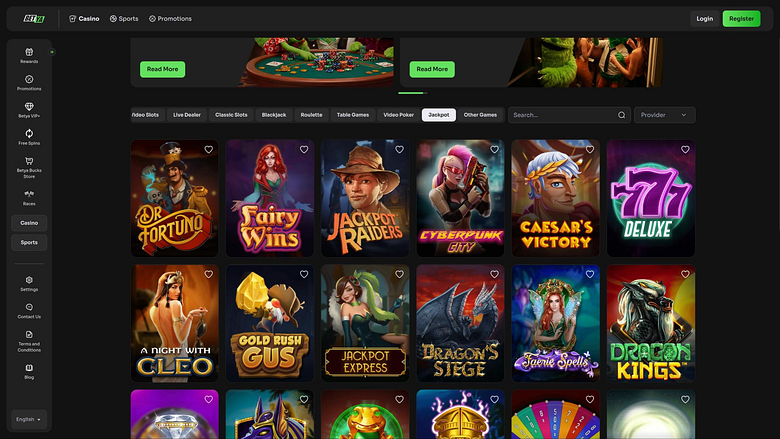
Desktop access may also be more appropriate when personal privacy is limited. A phone can be convenient, but notifications, shared screens and automatic previews may expose sensitive account information. Choose a private setting for login and financial actions, then clear access from devices that are no longer trusted. The practical decision is not mobile versus desktop in every situation; it is matching the device to the complexity, privacy and reliability required for the task.
Mobile access questions readers often ask
Is a separate mobile app identified?
The available material describes responsive browser access on current iOS and Android phones and tablets. It does not identify a dedicated native iOS or Android casino app. Readers should therefore avoid assuming that an app-store listing is official unless the operator clearly confirms it through its own published channels.
Can mobile users access account controls?
Reported mobile functions include login, deposits, withdrawals and account controls, but exact availability can vary by account, device, browser and jurisdiction. If a control is missing or behaves unexpectedly, check the operator’s stated requirements and contact support rather than relying on an unofficial workaround or third-party application.
What should I do if a mobile transaction appears stuck?
Do not immediately submit the same request again. First check the balance, transaction history and any confirmation message, then record the time and error shown. If the status remains unclear, contact the published support channel. Keep screenshots only when they do not expose unnecessary passwords or full payment details.